
How can I unlock AI analysis results in Stethophone Pro?
Stethophone Pro allows patients and clinicians to record, playback, and visualize heart sounds through its standard features, available to all users without a prescription. This basic functionality supports sound recording, playback, and result sharing with doctors.
To access advanced AI-driven analysis results (such as heart sound segmentation and murmur detection) a prescription is required for patients and a medical license – for healthcare professionals. This premium functionality is available only with an activation code after validation of your prescription or medical license.
Licensed healthcare professionals can directly request activation codes from our team at support@stethophone.com to unlock automated analysis or issue prescriptions to patients who require supervised access to AI diagnostic features.
For patients and non-clinical users, obtaining a valid prescription ensures that AI-generated diagnostic insights are used responsibly and under appropriate medical supervision. Once a prescription is issued, users can contact the support team at support@stethophone.com to receive activation instructions.
Users without activation codes can still use Stethophone Pro with the limitation that the automated analysis results will remain locked and marked by the Lock icon within the application (see Fig.1).
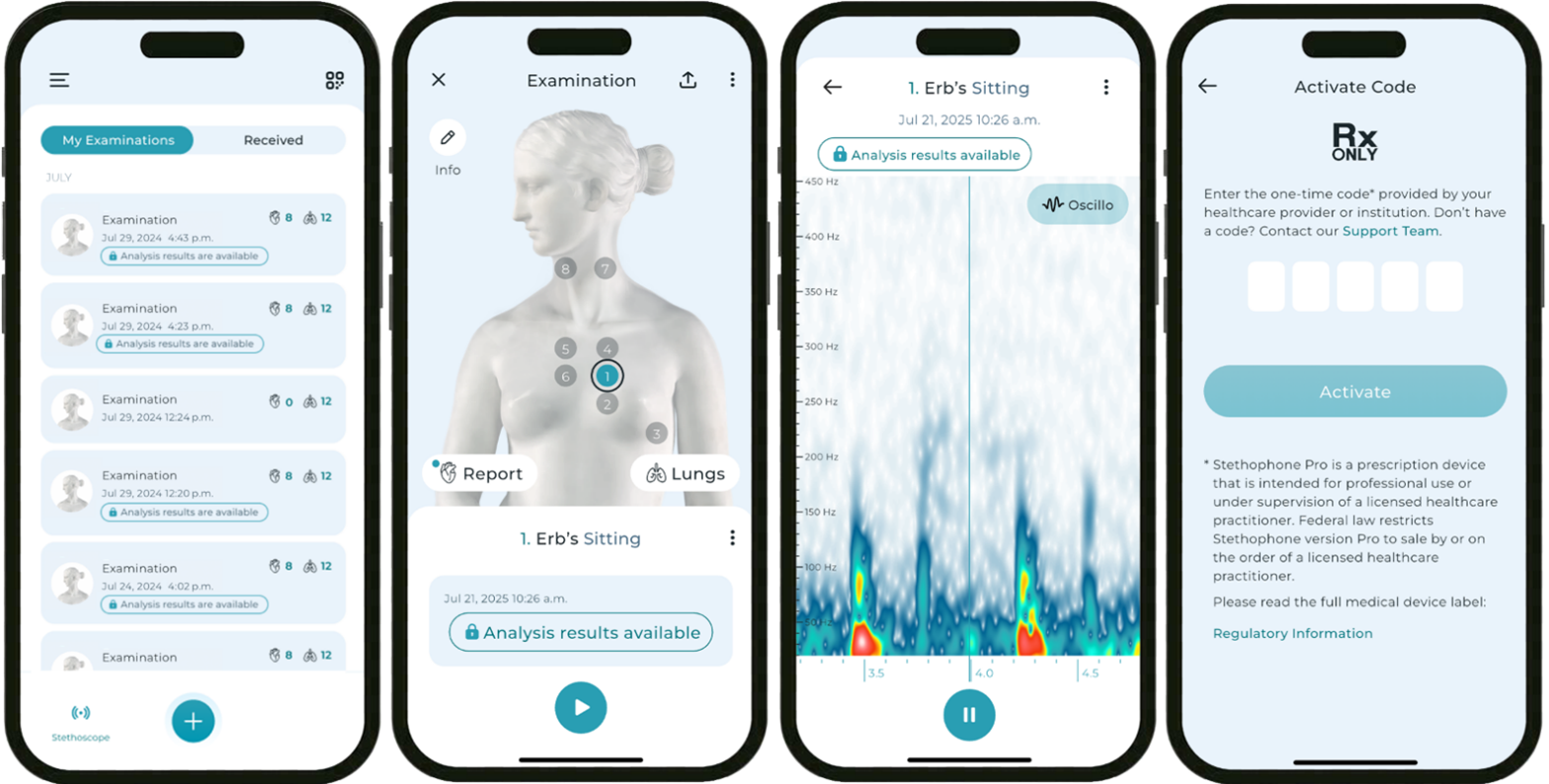
Figure 1. Locked analysis results for users without activation codes
Was this article helpful?
That’s Great!
Thank you for your feedback
Sorry! We couldn't be helpful
Thank you for your feedback
Feedback sent
We appreciate your effort and will try to fix the article